

How to Support Your Internal IT Team Without Increasing Risk or Burnout
Published on: May 18th, 2026
Last edited: September 18th, 2026

Supporting an internal IT team means improving their capacity, capability and resilience without overloading individuals or increasing risk.
This is typically achieved by:
- Reducing operational pressure
- Adding specialist expertise
- Improving security and compliance support
- Scaling delivery without relying on hiring alone
Related: Co-Managed IT Services for businesses with internal IT teams.
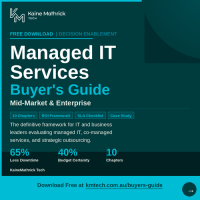
FREE DOWNLOAD
Managed IT Services Buyer's Guide
The 10-chapter framework for IT and business leaders. Includes ROI model, SLA checklist, and vendor evaluation guide.
Your IT team is not the problem.
They are carrying too much.
Internal IT teams are expected to:
- Support users
- Maintain infrastructure
- Manage cybersecurity
- Deliver transformation projects
At the same time.
For most organisations, that balance is no longer sustainable.
Why internal IT teams struggle
Most internal IT teams are not underperforming.
They are operating in an environment that has outpaced their capacity.
Growing operational demand
- Daily tickets, support requests and system monitoring
- Increasing user expectations and response requirements
Internal teams often spend most of their time reacting rather than improving systems
Limited capacity and resourcing
- Small teams supporting complex environments
- Growth outpacing headcount
Responsibilities expand faster than internal teams can scale
Increasing cybersecurity and compliance pressure
- Evolving threats
- Regulatory requirements
- Continuous monitoring expectations
Security now requires specialist expertise across multiple domains, which is difficult to maintain internally.
Skills gaps across key areas
Modern IT environments require expertise in:
- Cloud platforms
- Cybersecurity
- Identity and access management
- Compliance frameworks
Expecting one team to cover all areas is unrealistic
Related: Learn more about Outsourcing vs Co-Managed vs Managed IT Services in our blog.
Signs your IT team needs support
Signs your IT team is overloaded
You may need to support your internal IT team if:
- Projects are delayed or consistently deprioritised
- Ticket backlogs continue to increase
- Security updates or patches are falling behind
- Response times are slowing
- Key staff are working excessive hours
Many organisations experience constant “firefighting” instead of strategic execution
👉 This is not a performance issue
👉 It is a capacity and capability issue
Related: KMTech is a Managed Security Service Provider and can help your organisation align with Essential Eight Maturity Level 2 and other key security frameworks.
What it actually means to support an IT team
Supporting your IT team is not about replacement
Effective support does NOT mean:
- Outsourcing IT
- Removing internal control
- Replacing your team
It means strengthening your existing capability.
What effective IT team support looks like
Reducing operational workload
- Offloading repetitive or reactive tasks
- Improving automation and monitoring
This allows internal teams to focus on higher-value work.
Adding specialist expertise
Extend capability across:
- Security
- Cloud
- Compliance
- Infrastructure
Co-managed models provide access to expertise without needing to hire full-time specialists
Improving resilience and coverage
- Reduce reliance on key individuals
- Add after-hours and escalation support
This prevents single points of failure.
Enabling strategic focus
Internal teams shift from:
- Reactive support
👉 to
- Strategic delivery and transformation
Related: Learn more about which model would suit your business Outsourcing vs Managed vs Co‑Managed IT Services: Which Model Is Right for Your Organisation?
The fastest way to support an IT team
The most effective way to support an internal IT team
Most organisations use a structured support model rather than increasing headcount.
This typically includes:
A co-managed IT approach
- Internal IT retains ownership and control
- External partner adds capacity and capability
- Responsibilities are clearly defined
This model allows organisations to:
- Extend capability without replacing their team
- Scale support based on demand
- Maintain control over their IT environment
Co-managed IT combines internal knowledge with external expertise to strengthen operations
Outcomes
What outcomes should you expect?
When your IT team is properly supported:
Improved performance
- Faster response times
- Reduced backlog
Stronger cybersecurity
- Continuous monitoring
- Improved patching and compliance
Increased project delivery
- More projects completed
- Reduced delays
Reduced burnout risk
- Lower pressure on individuals
- More sustainable workloads
Overloaded teams often experience slower delivery, security risks and burnout if not supported
Frequently Asked Questions
How do you support an internal IT team?
You support an internal IT team by reducing workload, adding specialist expertise and improving resilience through structured support models.
Last updated:
What is the biggest challenge for internal IT teams?
The biggest challenge is balancing daily operational support with strategic initiatives, often with limited resources.
Last updated:
Is hiring the only way to support an IT team?
No. Many organisations use co-managed IT models to extend capacity and capability without increasing headcount.
Last updated:
Does supporting IT teams improve cybersecurity?
Yes. Additional expertise and monitoring improve security outcomes and reduce risk exposure.
Last updated:
When should you support your IT team?
You should act when:
- Business growth is outpacing IT capacity
- Security risk is increasing
- IT projects are not being delivered
- Internal teams are consistently reactive
👉 Waiting increases risk, not efficiency
Support your IT team without replacing it
Your internal IT team already understands your business.
They just need the right level of support to deliver more.
- Identify gaps in capacity and capability
- Define where support is needed
- Align IT delivery to business outcomes
More on Managed IT Services from KMTech
Everything on this topic, in one place.
ARTICLES
Last updated:


